Fixing a Suspended Google Business Profile
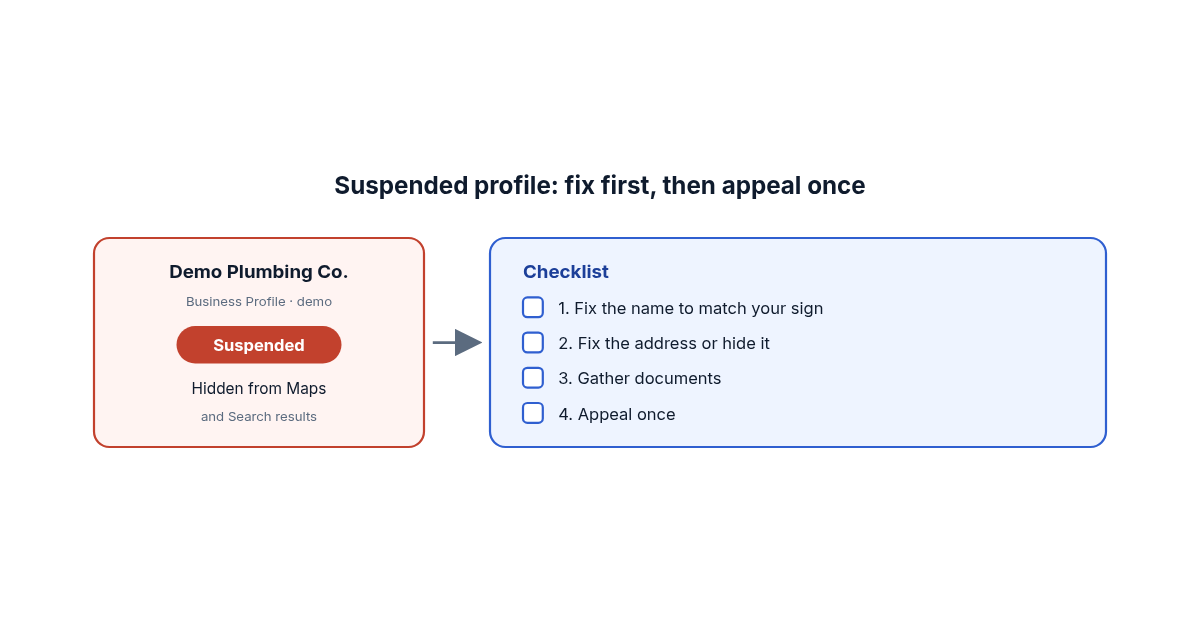
You open Google Maps to send a customer your link, and your business isn't there. Or Google emails to say your Business Profile is suspended. Either way the phone gets quieter, and it's not obvious what you did wrong.
Most suspensions trace back to a short list of causes, and Google publishes the process for getting reinstated. The catch is that you usually get one shot at the appeal, so it pays to fix things before you file.
Why did Google suspend my Business Profile?
Google suspends profiles that it believes break its rules for how a business should be represented. Its guidelines for representing your business say plainly that adding unnecessary information to your business name "could result in the suspension of your Business Profile," and its policy overview lists other triggers, including using a P.O. box as your address and listing a business that isn't eligible.
In practice, these are the ones I'd check first:
- Extra words in the business name. Your name on Google should match your sign, your website and your invoices. Google's examples of what's not allowed include marketing taglines, service descriptions, location details and phone numbers. "Joe's Plumbing" is fine. "Joe's Plumbing - 24/7 Emergency Plumber Austin" is the kind of name that gets flagged.
- An address that isn't a real, staffed location. Google doesn't allow P.O. boxes or virtual offices. A co-working desk only counts if it has clear signage, receives customers during business hours and is staffed by your people.
- A service-area business showing a home address. If you drive to customers and don't receive them where you're based, Google says you should hide your address. Its own example is a plumber who works from home and should clear that address from the profile.
- More than one profile for the same business. Google allows one profile per business, or one per location when each location has its own staff and service area.
- Big changes to the name or category. Google's policy overview says edits that "significantly change the nature of a business" are often treated as fraudulent. If a different business now operates at your address, the old profile should be marked permanently closed, not renamed.
Sometimes the cause is review behavior instead. Google's page on review restrictions says profiles caught with fake or incentivized reviews can be blocked from getting new reviews, have their existing reviews hidden for a time, or show customers a warning that fake reviews were removed.
Can a gym or class business even have a profile?
Yes, if you control the space where you teach. Google's policy overview says an "ongoing service, class, or meeting at a location that you don't own or have the authority to represent" isn't eligible for a Business Profile.
That matters for a lot of martial arts programs. Take a made-up example: a coach runs a jiu-jitsu program three nights a week on rented mats in a community rec center. They create a profile at the rec center's address, and it gets suspended. Under Google's rules, the rec center is the business at that address, not the program. A gym with its own lease, its own sign on the door and staffed hours is a different story; that's a real location.
If that's you, an appeal probably won't help. Put the effort into your own website and class schedule page instead, and set up a profile once you have a space of your own.
What should I fix before I appeal?
Fix everything that doesn't match the guidelines first, because Google's suspended profiles page says "Appeals can only be submitted once." Its first step is to make sure the profile follows all the guidelines, so treat the appeal like a final inspection rather than a first draft.
Go down the profile and compare it with the real world:
- Trim the name to exactly what's on your signage and paperwork.
- Check the address. A storefront should have permanent signage. A service-area business should hide the address and set a service area that, per Google's guidelines, generally extends no farther than about two hours of driving from your base.
- Check the phone number. Google wants a number under your direct control that connects to that location, not a call-tracking number that routes to someone else.
- Look at your categories. Google asks for as few as possible, chosen to complete the sentence "This business IS a," not "this business HAS a."
- Search Maps for duplicates of your business, including old ones a past employee or agency may have created.
Above all, don't create a new profile for the same business while you wait. Google's appeal instructions flag this as important ("Do not create a new Business Profile for the same business"), and its guidelines allow only one profile per business.
What documents help an appeal?
Paperwork where the business name and address match the profile exactly. Google lists official business registration, a business license, tax certificates and business utility bills (electricity, phone, water or internet) as evidence that can strengthen an appeal, and it reminds you to check that the name and address on each document match.
This is where a lot of small businesses get stuck. If your sign says "Ironside Grappling" but your bank, your license and your utility bill all say your personal name, nothing you upload proves the name on the profile. The fix is usually a registered trade name, also called a DBA ("doing business as") or assumed name. The U.S. Small Business Administration's [guide to registering your business](https://www.sba.gov/business-guide/launch-your-business/register-your-business) explains that you may need to register a DBA with your state, county or city, and that "most states require you to register your DBA if you use one." Rules vary by location, so check with your state or county office.
Gather the documents before you start. You can attach several files plus a short note; keep it factual: what was wrong, what you changed and what the documents show.
How do I file the appeal, and how long does it take?
You file it in Google's Business Profile appeals tool while signed in to the Google account that manages the profile. The tool shows the date of the decision, the reason, a link to the policy Google says you broke, and whether the decision can be appealed. Read that reason carefully; it tells you which of the fixes above matters most.
Google doesn't publish a turnaround time. It says it will review the appeal and email you the decision, and you can check the status in the same tool. If the appeal is denied, Google says it may be able to do an additional review where you can add evidence you didn't include the first time.
If the problem is your whole Google account rather than one profile, the order changes. Google's page says a restricted account suspends every profile it manages, and you appeal the account restriction first from your Google account's "My accounts" page, then appeal each profile.
Why this matters past Google Maps
A suspended profile is also a missing source. Google's ranking tips say local results are mainly based on relevance, distance and prominence, and that complete, detailed business info helps with relevance. AI assistants that search before answering lean on public listings too, as I covered in how to show up when customers ask ChatGPT for a recommendation. When one of your main listings disappears, whatever is left online has to carry your name, address and services on its own.
That's a good reason to keep those details identical everywhere, which is the core of the business facts AI must agree on. If you're a service-area business, why service area precision changes AI recommendations goes deeper on setting your area honestly.
And if you'd like a second set of eyes on how consistently your business shows up online once the profile is back, you can [run a free snapshot](https://runexus.io/scan) of your site.